Access control
Organization modeIn organization mode an admin decides who sees which features. Features are the same switches people used to flip for themselves in Settings; now an admin grants them per group, and the server enforces the grant.
The model
| Concept | How it works |
|---|---|
| Identity | The numeric GitHub id of the signed-in token, looked up from GitHub on every request (cached for a minute). |
| Groups | Fixed: admin, devops, security, dev, pm. A person can be in several. |
| Grants | An admin turns features on per group. A person gets every feature any of their groups has. |
| Admins | Members of admin get every feature and the admin screens. Ids in GITDASH_ADMIN_GITHUB_IDS are always admins, even with no group row. |
| No group | Signed in, but no access: the person waits on /pending until an admin adds them to a group. |
| Personal choice | People can still switch off features they were granted, in Settings → My features. They can never switch on a feature they were not granted. |
Managing access
Admins manage access in Admin (sidebar) or in Settings → Access by group / Members / Audit log — both edit the same data. Every change is written to the audit log with who made it and what changed.
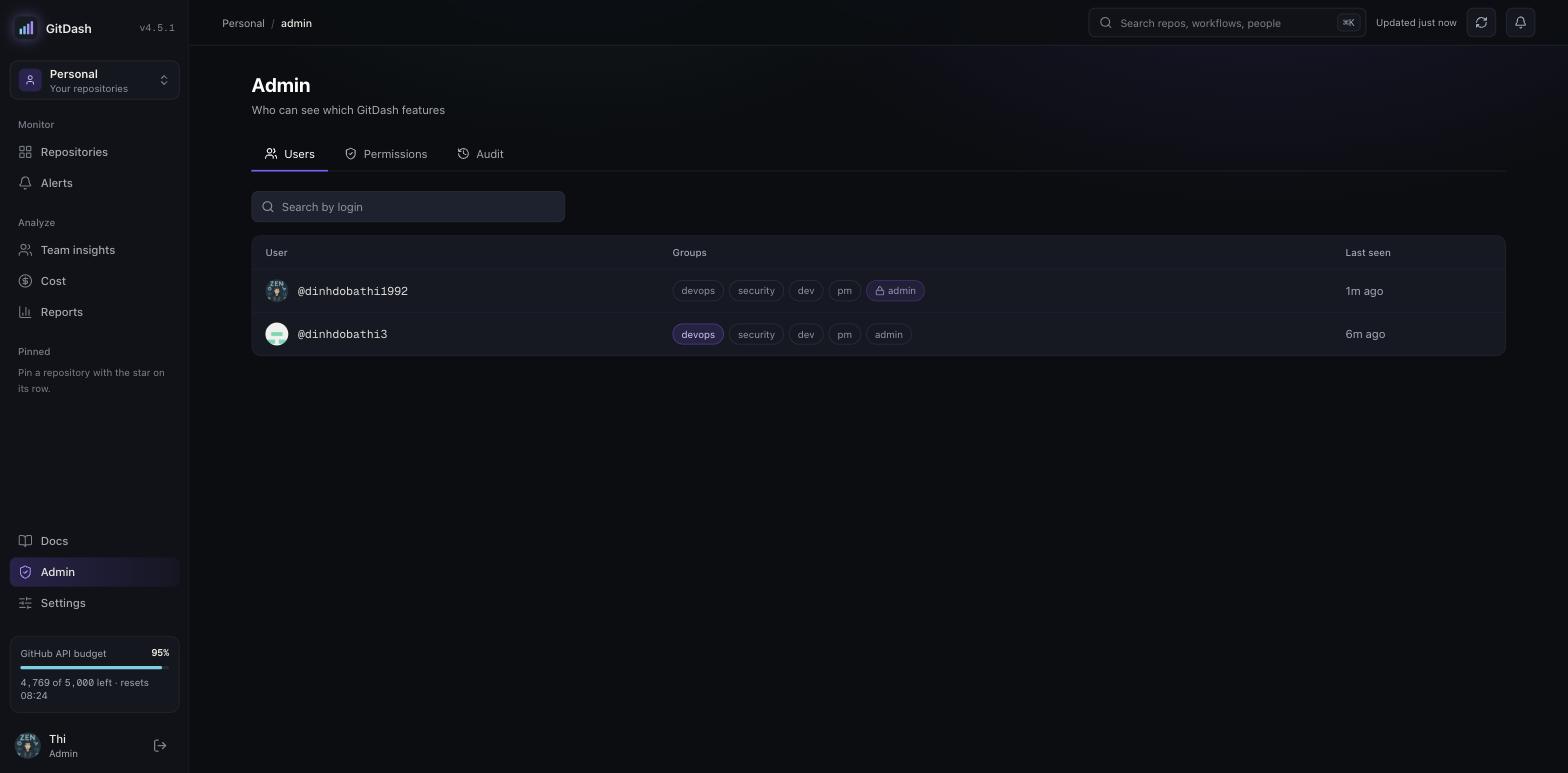
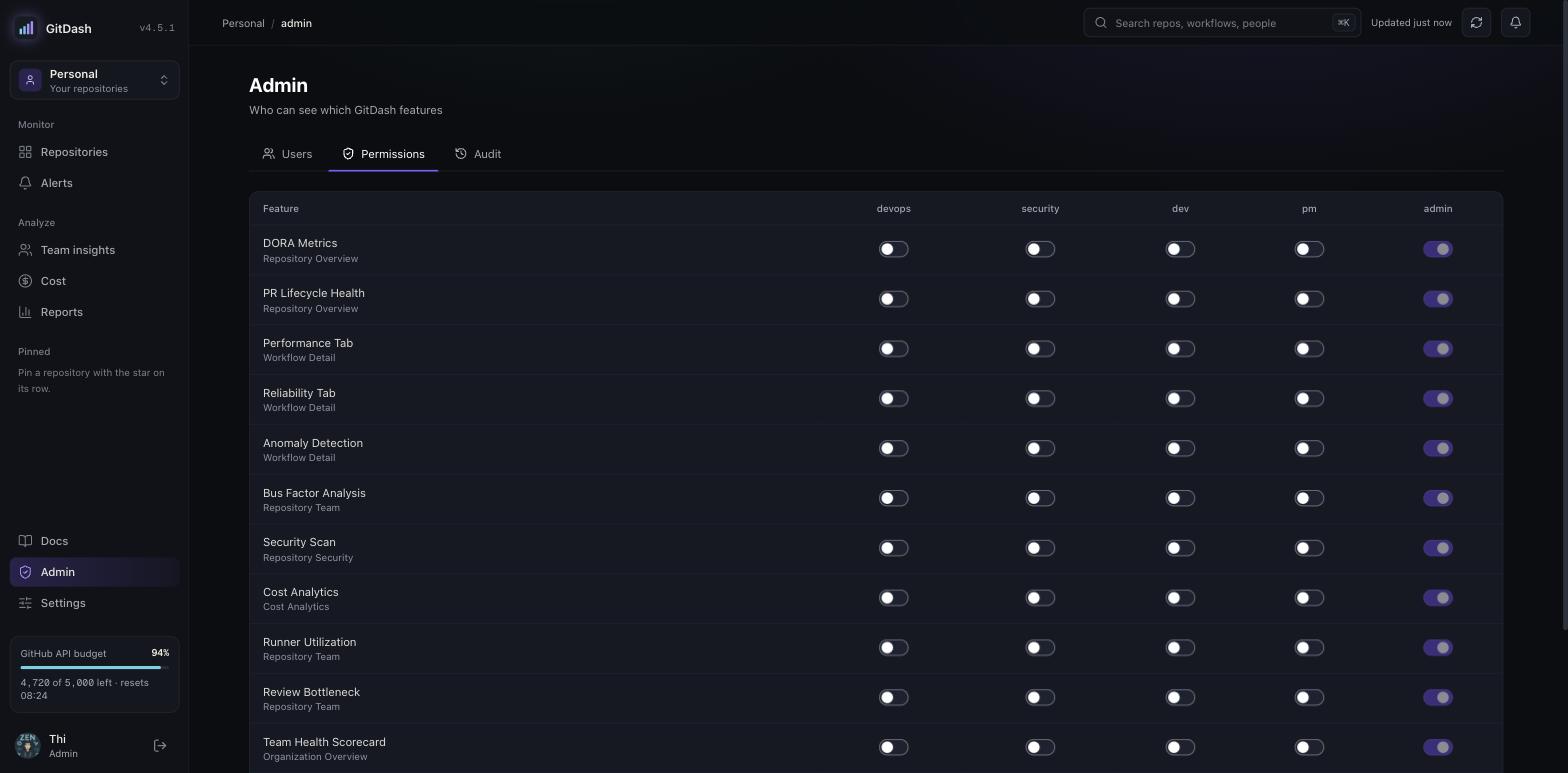
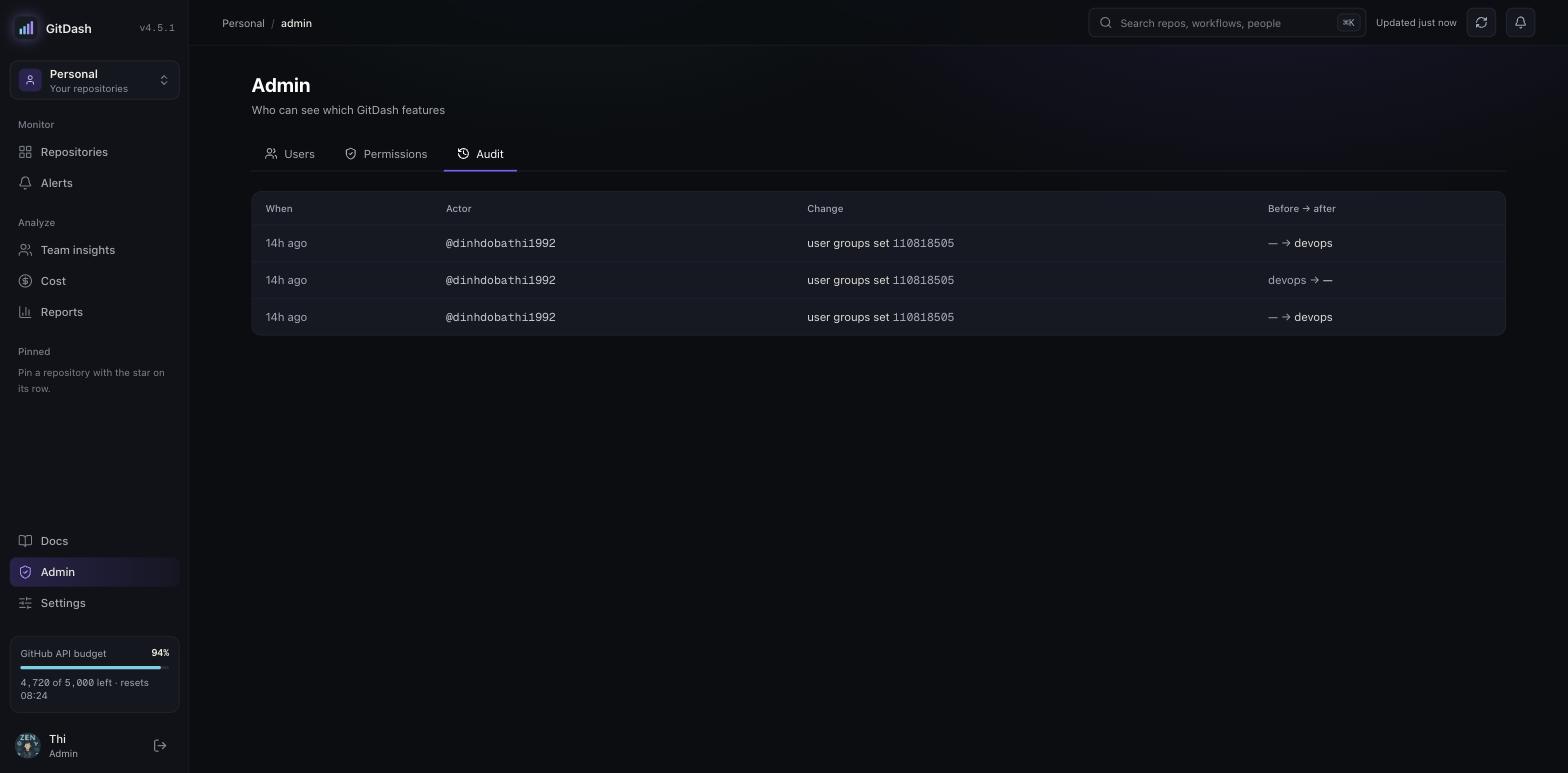
admin (apart from the ids in GITDASH_ADMIN_GITHUB_IDS) is refused.Waiting for access
Someone who signs in without a group lands on /pending. The page shows their GitHub login and numeric id to send to an admin, checks again every 15 seconds, and moves on by itself once a group is granted — usually within a minute, because group lookups are cached for 60 seconds.
Enforcement
Every request passes through src/proxy.ts, which classifies the route and checks the grant before the route runs. A feature's pages redirect and its API routes answer 403 without the grant — also when called directly. API routes that are not registered are denied. Grants and revocations reach new requests within 60 seconds.
The grant decides which GitDash features someone can use; it never widens what their own GitHub token can read. Data GitDash serves from its own database (Reports, alert rules) is filtered by what the viewer's token can see on GitHub.
Settings and rollout
DATABASE_URL=postgres://...        # required: users, groups, grants and the audit log
GITDASH_ADMIN_GITHUB_IDS=12345678   # required: numeric ids (gh api user --jq .id), comma-separated
GITDASH_ALLOWED_ORGS=my-org         # optional: only active members of these orgs may sign in
GITDASH_RBAC_ENFORCE=false          # rollout switch; set true once groups are assigned
Deploy with enforcement off
GITDASH_RBAC_ENFORCE unset or false, everyone keeps full access; only the admin screens are restricted. The app refuses to start in organization mode without DATABASE_URL and a valid GITDASH_ADMIN_GITHUB_IDS, and /api/health answers 503.Let people sign in, then assign
Turn enforcement on
GITDASH_RBAC_ENFORCE=true and redeploy. On Vercel, environment variable changes only apply to new deployments.When sign-in is refused
With GITDASH_ALLOWED_ORGS set, GitDash asks GitHub whether the account is an active member. If GitHub will not say, sign-in is refused — GitDash cannot tell a member from a stranger — and the server log records GitHub's reason.
| Cause | Fix |
|---|---|
| The org restricts OAuth Apps (every “Continue with GitHub” sign-in fails) | An org owner approves the GitDash OAuth App in the org's Third-party access settings. Unapproved, the app also cannot read the org's private repositories. |
| A fine-grained PAT created under the user | Create it with the organization as resource owner and grant Members: read. If the org approves fine-grained tokens, an owner must approve it first. |
| A classic PAT the org does not accept | It needs read:org; some orgs also reject classic tokens that live longer than 366 days. |